


-
 Media gallery
-
 Media gallery
-
 Media gallery


Regulator for single-phase pump up to 30 A
- Regular price
- €84,64 €69,95 excl. VAT
- Regular price
-
- Sale price
- €84,64 €69,95 excl. VAT
- Unit price
- per
Couldn't load pickup availability


Notified by email when this product becomes available
Pre-order product
- Description
- Instructions
- Payment methods
- Warranty
TENSE MDK-02 single-phase submersible motor pump control, 140-280 V AC, 60 A
Product description
The TENSE MDK-02 controller is designed for the protection and control of submersible pumps for boreholes and wells.
It provides protection against voltage and current spikes, water shortage, and pump overload.
Built-in functions also enable tank level monitoring, time delay settings, and peak current control.
Main features
-
Single-phase power supply, range: 140-280 VAC
-
Max. current: 60 A
-
Microprocessor control with LED display
-
Protection features:
-
Overvoltage/undervoltage
-
Overcurrent/undercurrent
-
Water level control well/tank
-
-
Operating parameter settings: P1-P10 (e.g. maximum/minimum voltage, current, response delay, start interval, time for automatic reset)
-
Operating modes: START / STOP
-
Built-in timer for pump delay to extend the pump's lifespan
-
Pump status indication via LED indicators
Technical parameters
-
Operating voltage: 140-280 V AC
-
Frequency: 50 Hz
-
Current range: 0,5-60 A
-
Power consumption: < 4 W
-
Liquid sensitivity: < 50 kΩ
-
Protection class: IP40
-
Operating temperature: -5 °C to +55 °C
-
Max. cable cross-section: 1.5 mm²
-
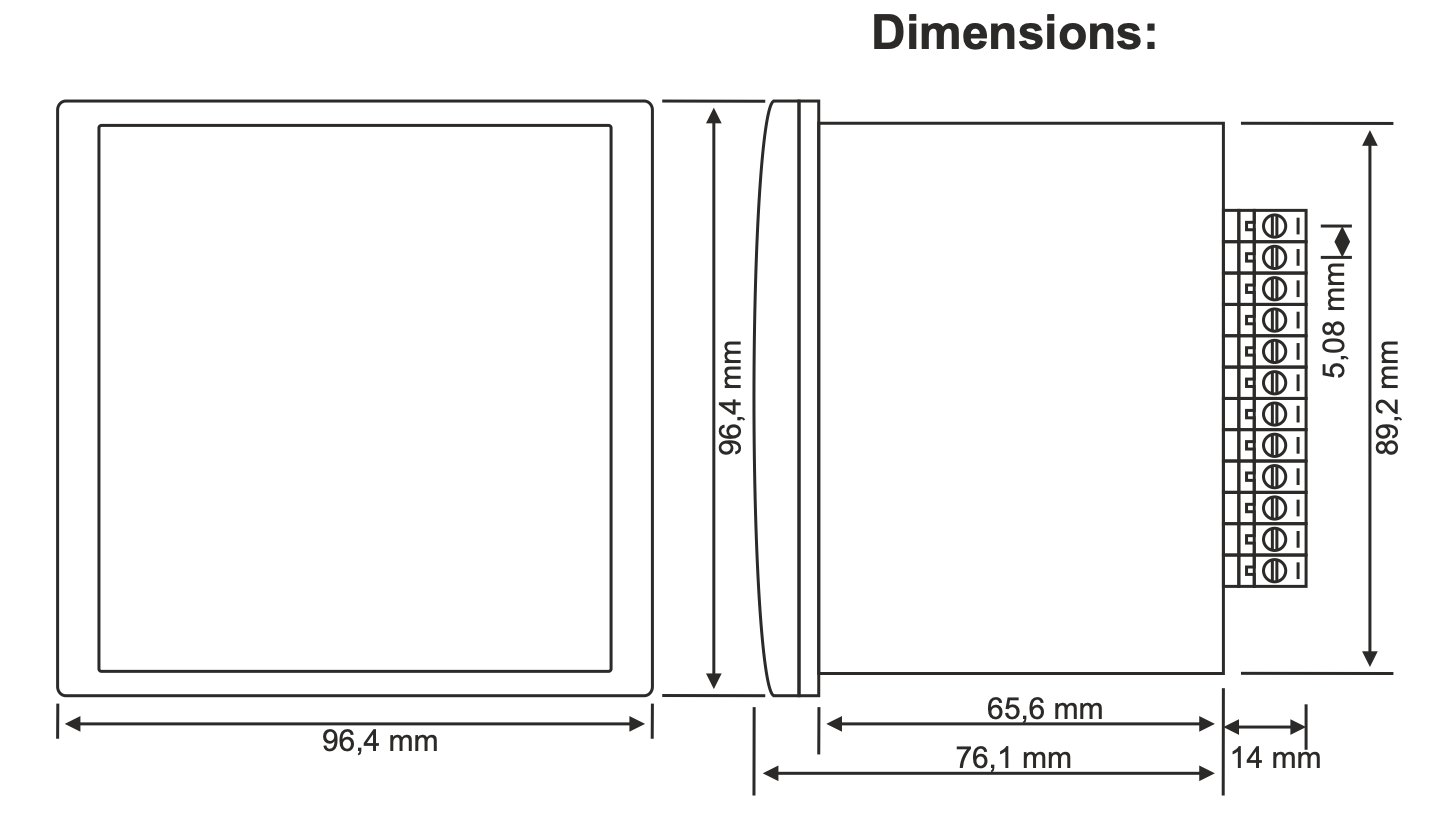
Installation opening: 91 × 91 mm
-
Installation height: < 2000 m
-
Weight: 325 g
Application
-
Protection of submersible pumps against dry running and overload
-
Water level control in tanks and wells
-
Monitoring and safe operation of domestic and industrial pumps
Important notes
-
Electrodes / water level sensors are not included - must be ordered separately
-
The controller must be connected according to the manufacturer's wiring diagram
-
The liquid must not be flammable or explosive
-
The installation temperature must be > 0 °C
-
Pump must be grounded
-
The use of two level sensors requires the correct connection of the upper and middle sensor.
Online payment by card – after completing the order, you will be redirected to the payment page. The payment confirmation will be sent to your e‑mail.
Cash on delivery (COD) – you pay the amount directly to the driver upon delivery.
By bank transfer – at the latest on the next working day, you will receive a pro-forma invoice by e‑mail with the account number to which you can pay.
On invoice – this payment option is available for partners who have concluded a framework agreement with our company.
If you want to use one of the last two payment methods, please contact our business manager. He will explain to you how to receive an invoice with or without VAT.
The electrical equipment we supply meets high quality standards, has a 24-month warranty, and fully complies with all EU requirements.
In case of a complaint, no return costs will be charged.


